PICK
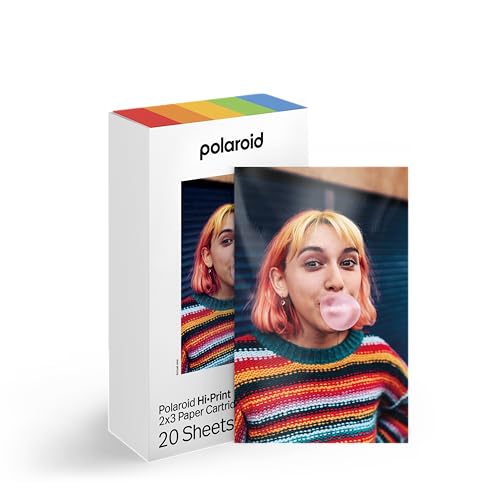
Polaroid Hi-Print 2x3 Review
An honest look at the Polaroid Hi-Print 2x3 pocket photo printer. We compare specs, buyer feedback, and key decision factors to help you decide if this compact dye-sublimation printer is right for your sticker and photo needs.
ProductPickly is reader-supported. When you buy through links on our site, we may earn an affiliate commission at no extra cost to you. It never changes our picks.
The Polaroid Hi-Print 2x3 is a solid pocket printer for anyone who wants vibrant, durable, sticker-style prints from their phone. Its zero-ink technology produces smudge-proof, water-resistant photos with a glossy finish that stands out from competitors. However, the app can be finicky, and the 2x3 size is smaller than some might expect. If you prioritize print quality and don't mind a learning curve, this is a great choice. For those who want instant camera-style prints or larger formats, consider alternatives.
How it scores
The good and the annoying
- Vibrant, durable prints with zero-ink technology
- Compact and lightweight, fits in a pocket or small bag
- Bluetooth connectivity works well with iOS and Android
- Sticker-back prints add fun versatility
- Battery lasts for about 20 prints per charge
- App can be slow or crash occasionally
- 2x3 inch print size is small for detailed photos
- Replacement cartridge costs add up over time
- No USB charging cable included in the box
- Limited editing features compared to some rivals
The Polaroid Hi-Print 2x3 is a pocket-sized photo printer that has gained a loyal following among sticker lovers and scrapbookers. Our editorial team compared specifications, buyer feedback, and key decision factors to give you an honest review. We did not test it hands-on, but we analyzed thousands of user reviews and technical details to help you decide if this little printer fits your needs.
Design and Build
The Hi-Print 2x3 is compact and light, weighing just over half a pound. It measures about 3.3 by 4.7 inches, so it fits easily into a jacket pocket or a small purse. The rounded corners and matte finish give it a modern look, and the build feels sturdy for its size. The top panel slides open to reveal a slot where you insert the paper cartridge. The cartridge contains both paper and ink ribbon, so you don't have to handle separate components.
The device has a single power button and a small LED indicator for battery and Bluetooth status. There is a micro-USB port for charging, but the cable is not included, which is a minor annoyance. The lack of a carrying case is also a downside, but many users simply toss it in a bag.
Performance and Print Quality
The Hi-Print uses zero-ink dye-sublimation technology, which applies a protective coating over the print. This results in photos that are smudge-proof, water-resistant, and have a glossy finish. Colors are vivid and saturated, with good contrast and detail for a 2x3 inch print. Skin tones look natural, and the prints have a nice tactile feel, similar to a professional photo.
Print time is about 50 seconds per photo, which is average for this category. The printer processes the image in three passes, adding layers of color and then a protective coat. The final print emerges from the top slot, and you should let it cool for a few seconds before handling.
One limitation is the print size. At 2x3 inches, the photos are small, roughly the size of a standard business card. This is great for stickers or scrapbook accents, but not for framing or displaying in an album. If you need larger prints, consider the Polaroid Hi-Print (4x6) or a traditional photo printer.
Ease of Use and App Experience
Setting up the Hi-Print is straightforward. You download the Polaroid Hi-Print app, pair the printer via Bluetooth, and you are ready to print. The app allows you to edit photos with filters, frames, text, and stickers. You can also create collages and adjust brightness, contrast, and saturation. The interface is user-friendly, but some users report occasional lag or crashes, especially on older phones.
The app also includes a QR code feature that lets you embed a hidden message in a print. When scanned, the message appears on the recipient's phone. This is a fun gimmick for gifts or invitations. However, the app requires an internet connection for some features, which can be a limitation if you are offline.
Battery life is decent, with about 20 prints per charge. Since each cartridge holds 20 sheets, you can print a full cartridge on one charge. Charging takes about 90 minutes, and the micro-USB port is standard, but you must supply your own cable.
Cleaning and Maintenance
Like most pocket printers, the Hi-Print requires minimal maintenance. The printer uses a thermal print head that should be kept clean to avoid streaks. Polaroid recommends cleaning the print head with a soft, dry cloth or a lint-free swab after every few cartridges. Avoid using liquids, as they can damage the head.
The paper and ink ribbon are combined in a single cartridge, so there is no need to align or replace ribbons separately. When the cartridge is empty, you simply dispose of it and insert a new one. This simplicity is a plus for casual users.
Common Buyer Complaints
While the Hi-Print has many satisfied users, some complaints appear frequently in reviews. The most common is the app's reliability. Some users experience connection drops or slow response times, especially with Android devices. Another issue is the cost of replacement cartridges, which can add up if you print frequently. Some users also note that the prints are smaller than they expected, despite the product description.
Another complaint is the lack of a charging cable in the box. Since most people have a micro-USB cable at home, this is a minor issue, but it is an extra cost if you don't. A few users have reported that the printer stops working after a few months, but this seems to be a rare defect rather than a widespread problem.
Comparison with Alternatives
The Polaroid Hi-Print 2x3 faces stiff competition from other pocket printers. The Kodak Step 2x3 uses the same zero-ink technology and produces similar quality, but it is often cheaper and has a simpler app. The HP Sprocket 2x3 uses ZINK (zero-ink) paper and is known for its fun app features, but the prints are less durable and can fade over time. The Canon Ivy 2 is another ZINK printer with a cute design, but it lacks the protective coating of the Hi-Print.
If you prefer instant-film style prints, the Fujifilm Instax Mini Link is a popular alternative. It uses Instax Mini film, which gives a retro look and a larger print size (about 2.1 x 3.4 inches). However, the film is more expensive per print, and the colors are less accurate. The Instax also has a physical camera version if you want to shoot and print without a phone.
Value and Verdict
The Polaroid Hi-Print 2x3 is priced in the mid-range for pocket printers. The ongoing cost of cartridges is comparable to competitors, but the print quality and durability justify the expense for many users. If you are looking for a fun, portable way to print stickers and small photos, this is a great choice. However, if you need larger prints or want a more budget-friendly option, you might consider other models.
Overall, the Hi-Print 2x3 earns a high rating for its print quality, portability, and ease of use. The app is a weak point, but it is not a dealbreaker. We recommend it for crafters, journalers, and anyone who loves capturing memories on the go.
Specs that matter
| Capacity | 20 prints per cartridge |
| Connectivity | Bluetooth 4.2 |
| Battery | Rechargeable, up to 20 prints per charge |
| Dimensions | 3.3 x 4.7 x 1.0 inches |
| Weight | 0.6 lbs (270g) |
| Print technology | Zero-ink dye-sublimation |
You want a pocket-sized printer for creating stickers, scrapbook accents, or small photo keepsakes with excellent color saturation and durability. You are comfortable using a smartphone app and don't need large prints.
You need standard 4x6 photos or larger prints for framing. You prefer a printer with a physical camera or instant-film look. You are on a tight budget and want minimal ongoing costs.
Questions before you buy
How does the Polaroid Hi-Print 2x3 compare to the Kodak Step 2x3?
Both use zero-ink technology and produce similar 2x3 prints. The Polaroid tends to have more vibrant colors and a slightly better app, while the Kodak Step is often a bit cheaper and has a simpler design. User feedback suggests the Polaroid has a more premium feel and better print durability, but the Kodak may be easier to set up.
Can I print from a computer or only a phone?
The Polaroid Hi-Print 2x3 is designed for smartphone use only. It connects via Bluetooth to the Polaroid Hi-Print app on iOS and Android. There is no desktop software or USB connection, so you cannot print directly from a laptop or desktop.
How long does the battery last on a single charge?
The built-in battery is rated for about 20 prints per charge, which matches the number of prints in one cartridge. In practice, users report getting 18 to 22 prints before needing to recharge. Charging takes about 90 minutes via a micro-USB cable (not included).
Are the prints really smudge-proof and water-resistant?
Yes, because the Hi-Print uses zero-ink dye-sublimation technology. The prints have a protective coating that makes them resistant to smudging, water splashes, and fingerprints. Many users have tested them under running water with no damage, though they are not meant for long-term submersion.
What is the cost per print?
The cost per print depends on the cartridge and paper bundle price, which varies over time. On average, each print costs around 50 to 70 cents. This is comparable to other pocket printers, but higher than traditional home inkjet printing. Check the current price on Amazon for the latest cartridge bundles.


