Video and Camcorders
Video Capture Cards: 7 Picks for Streaming and Recording
7 picks compared
6 min read
ProductPickly is reader-supported. When you buy through links on our site, we may earn an affiliate commission at no extra cost to you. It never changes our picks.
The short answerFor most streamers, the Elgato HD60 X is the best overall. The Razer Ripsaw HD offers strong value. Budget buyers often pick the AVerMedia Live Gamer Portable 2 Plus.
?How we pickedWe compare published specifications, safety certifications and thousands of verified owner reviews, and we do not physically test every unit. Read the full process in our review methodology.
Elgato HD60 X
★★★★★ 4.8 / 5 Best overall
The Elgato HD60 X captures 1080p at 60fps with 4K60 HDR passthrough. It connects via USB 3.0 and works with OBS, Streamlabs, and Elgato's software. Owners praise its low latency and reliable performance.
Max capture 1080p60Passthrough 4K60 HDRConnection USB 3.0Latency Low
- Reliable software
- HDR passthrough
- Low latency
- No 4K capture
- Requires USB 3.0
Razer Ripsaw HD
★★★★★ 4.5 / 5 Best value
The Razer Ripsaw HD captures 1080p60 with 4K60 passthrough. It has a compact design and works with most streaming software. Users note its solid build and easy setup.
Max capture 1080p60Passthrough 4K60Connection USB 3.0Compatibility PC, Mac
- Affordable
- Compact size
- Good passthrough
- No HDR passthrough
- Software limited
AVerMedia Live Gamer Portable 2 Plus
★★★★★ 4.3 / 5 Best budget
This AVerMedia card captures 1080p60 without a PC, thanks to its built-in SD card slot. It works as a standalone recorder or a USB capture device. Owners like its portability and ease of use.
Max capture 1080p60Standalone YesConnection USB 2.0Storage SD card
- Standalone recording
- Portable
- Low price
- USB 2.0 only
- No 4K passthrough
Elgato 4K60 Pro MK.2
★★★★★ 4.7 / 5 Best for 4K recording
The Elgato 4K60 Pro MK.2 is an internal PCIe card that captures 4K60 HDR10. It offers ultra-low latency and high bitrate recording. This card suits serious content creators with desktops.
Max capture 4K60 HDR10Interface PCIe x4Latency Ultra-lowSoftware Elgato 4K Capture Utility
- High quality 4K
- Low latency
- HDR support
- Requires desktop
- Higher price
Best for: Best for 4K recording
AVerMedia Live Gamer 4K
★★★★★ 4.6 / 5 Best for next-gen consoles
The AVerMedia Live Gamer 4K captures 4K60 and passes through 4K HDR. It supports VRR and ALLM for smooth console play. Streamers with PS5 or Xbox Series X often choose this card.
Max capture 4K60Passthrough 4K HDRConnection USB 3.1Features VRR, ALLM
- VRR support
- HDR passthrough
- Good software
Best for: Best for next-gen consoles
EVGA XR1 Lite
★★★★★ 4.4 / 5 Best for beginners
The EVGA XR1 Lite captures 1080p60 with 4K60 passthrough. It requires no driver installation and works with OBS and other software. New streamers appreciate its simplicity and low cost.
Max capture 1080p60Passthrough 4K60Connection USB 3.0Setup Plug-and-play
- Easy setup
- Low cost
- No drivers needed
Best for: Best for beginners
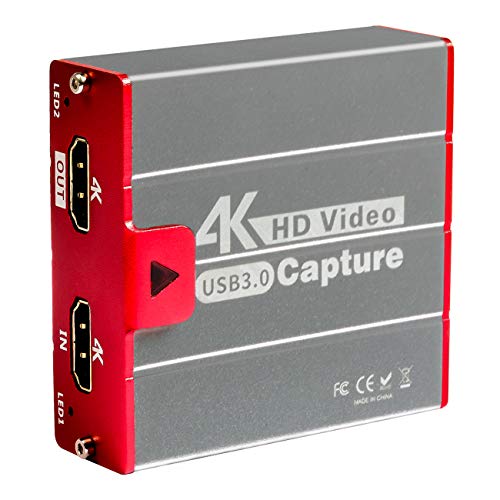
Mirabox USB3.0 4K HDMI
★★★★★ 4.2 / 5 Best for dual PC setups
The Mirabox USB3.0 4K HDMI captures 4K30 and 1080p60. It works as a simple HDMI capture device for streaming or recording. Users report good value for the price, despite limited software.
Max capture 4K30Passthrough 4K60Connection USB 3.0Compatibility Windows, Mac
- Affordable 4K
- Compact
- Works with OBS
Best for: Best for dual PC setups
Latency and software reliability matter as much as raw specs. Some cards work plug-and-play, others need drivers. We focused on models with proven track records.
What to look for in a capture card
Resolution and frame rate are the first specs to check. Most cards capture 1080p60, but 4K options exist. Passthrough matters for console gamers who want to play without lag. Look for low latency, especially for competitive play. Consider the connection type: USB is easier, PCIe is faster.
USB vs PCIe capture cards
USB cards are portable and work with laptops. They often have higher latency but are easier to set up. PCIe cards sit inside a desktop and offer lower latency. They also support higher bitrates for better quality. Choose USB for flexibility, PCIe for performance.
Capture cards for console streaming
Console streamers need a card with passthrough to avoid lag. The Elgato HD60 X and AVerMedia Live Gamer 4K are popular choices. They support 4K HDR passthrough, so your game looks great on TV. Ensure the card supports your console's resolution and refresh rate.
How to choose for your budget
Budget cards like the AVerMedia Live Gamer Portable 2 Plus offer basic 1080p capture. Mid-range cards add 4K passthrough and better software. High-end cards provide 4K capture and low latency. Decide if you need 4K recording or just passthrough. Spending more only helps if you use the features.
Questions people ask
What is a video capture card?
A video capture card takes an HDMI signal from a camera or console and sends it to your computer. It lets you record or stream video from external devices.
How do I choose a capture card?
Consider your source device, desired resolution, and budget. Check passthrough capabilities for console gaming. Look for software compatibility with OBS or your streaming platform.
Can a capture card reduce lag?
Most capture cards add minimal latency, especially with passthrough. USB cards may have slightly higher latency than PCIe. For competitive play, choose a low-latency model.
Do I need a capture card for streaming?
If you stream from a PC, you may not need one. For consoles or external cameras, a capture card is necessary. It converts HDMI signals into a format your computer can use.
What is passthrough on a capture card?
Passthrough sends the HDMI signal to a display without processing. This lets you play games without noticeable delay. It's essential for console streaming.
Is 4K capture worth it?
4K capture is useful if you record for YouTube or want future-proofing. Most streaming platforms cap at 1080p. If you only stream, 1080p capture is enough.
Can I use a capture card with a laptop?
Yes, USB capture cards work with laptops. They are portable and easy to set up. Check your laptop's USB port speed for best performance.
Which capture card works with OBS?
Most capture cards work with OBS, including Elgato, AVerMedia, and Razer. They appear as video sources in OBS. Some require drivers, others are plug-and-play.
The bottom lineSo which one?
The Elgato HD60 X leads for most users, balancing quality and ease. Budget buyers can save with the AVerMedia Live Gamer Portable 2 Plus. For 4K recording, the Elgato 4K60 Pro MK.2 is the top pick.