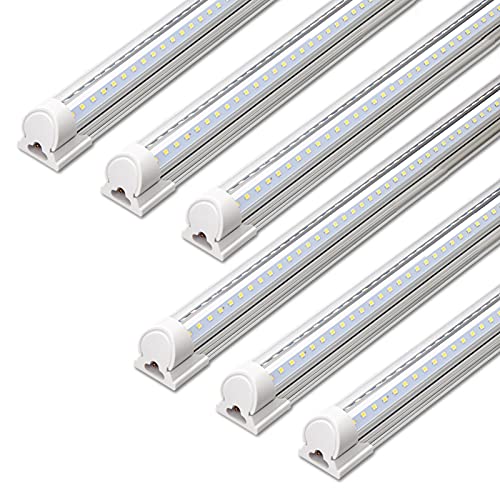
Flickering shop lights usually stem from loose connections, incompatible dimmers, or faulty ballasts. Tighten connections, swap dimmers, or replace ballasts to fix most issues.
Flickering shop lights are more than a nuisance. They can cause eye strain, headaches, and even signal a potential electrical hazard. Whether you have LED or fluorescent fixtures, understanding the root cause is the first step to a permanent fix. Our editorial team compared specifications, buyer feedback, and key decision factors to bring you a practical troubleshooting guide.
Why It Happens
Flickering occurs when the electrical current to the light is interrupted or unstable. Common culprits include:
- Loose connections: Vibrations from nearby equipment or thermal expansion and contraction can loosen wire nuts, terminal screws, or bulb sockets. This is especially common in shop environments where heavy machinery runs frequently.
- Incompatible dimmers: Older dimmers designed for incandescent bulbs may not work with LED or CFL bulbs, causing flicker. Even some LED-rated dimmers may not be compatible with all LED drivers, so check the manufacturer's compatibility list.
- Faulty ballasts: In fluorescent fixtures, a failing ballast can cause flickering, buzzing, or delayed start. Ballasts have a lifespan of about 10 to 15 years, and high temperatures or humidity can shorten that.
- Voltage fluctuations: Large appliances like air compressors, welders, or table saws on the same circuit can cause temporary voltage drops, leading to flicker. This is more common in older homes or shops with inadequate wiring.
- Low-quality bulbs: Cheap LEDs often have poor drivers that produce inconsistent current, resulting in flicker. Look for bulbs with a UL or ETL listing and a warranty of at least 3 years.
Identifying the specific cause requires a systematic approach. Start with the simplest checks before moving to more complex components.
How to Fix
Follow these steps in order. Always turn off the power at the circuit breaker before inspecting any electrical components. Use a non-contact voltage tester to confirm power is off.
- Check the bulb: For LED bulbs, try a known-good bulb in the same socket. If the new bulb works, the old one is defective. For fluorescent tubes, check for dark ends or blackening, which indicate tube failure. Also, ensure the pins are clean and not corroded.
- Tighten connections: Inspect the bulb or tube to ensure it is seated properly. For hardwired fixtures, remove the cover and check wire connections. Tighten any loose screws or wire nuts. Look for signs of overheating like discolored wires or melted insulation.
- Test the dimmer: If your lights are on a dimmer, bypass it temporarily by replacing it with a standard switch. If flickering stops, the dimmer is incompatible. Replace it with a dimmer rated for LED or fluorescent, depending on your bulb type. Also, check that the total wattage of the bulbs is within the dimmer's range.
- Inspect the ballast (fluorescent only): If you have fluorescent tubes and the tubes are new, the ballast may be failing. Use a multimeter to test for continuity, or simply replace the ballast with a compatible electronic one. Consider retrofitting to LED tubes that bypass the ballast for a more efficient solution. LED tubes can save energy and eliminate flicker permanently.
- Check voltage stability: If flickering occurs when other appliances turn on, you may have voltage fluctuations. Use a multimeter to measure the voltage at the fixture while the appliance runs. If the voltage drops significantly, consult an electrician to check your panel and wiring. You may need a dedicated circuit for your shop lights.
- Replace faulty components: If all else fails, replace the entire fixture. Modern LED shop lights are affordable and provide stable, flicker-free illumination. Look for fixtures with a high CRI (90 or above) for better color accuracy, and consider models with a frosted lens to reduce glare.
When to Replace
Sometimes repairs are not worth the effort. Replace your shop lights if:
- The fixture is over 10 years old and uses outdated technology. Older fixtures may not be energy efficient and may lack safety features.
- You have fluorescent fixtures with frequent ballast failures. Replacing ballasts repeatedly can be costly and time-consuming.
- You need better energy efficiency or brighter light output. LED fixtures use up to 50% less energy and last longer.
- You want to eliminate flicker permanently by upgrading to high-quality LED fixtures. Many LED shop lights come with a 5-year warranty and are designed to be flicker-free.
When shopping for new lights, look for models with a high color rendering index (CRI) and a warranty. Check the current price on Amazon for popular options like the Hyperikon 4FT LED Shop Light or the Barrina LED T8 Integrated Tube. Read customer reviews to see how they perform in real-world conditions.
Preventive Maintenance Tips
To avoid future flickering issues, incorporate these habits into your shop routine:
- Dust your fixtures regularly. Dust buildup can cause overheating and reduce light output.
- Use surge protectors for sensitive electronics. Power surges can damage LED drivers and ballasts.
- Label your circuit breakers clearly. This makes it easier to isolate circuits when troubleshooting.
- Consider installing a whole-house surge protector if you have frequent power surges.
By following these steps, you can diagnose and fix most flickering issues. If you are uncomfortable working with electricity, always hire a licensed electrician.