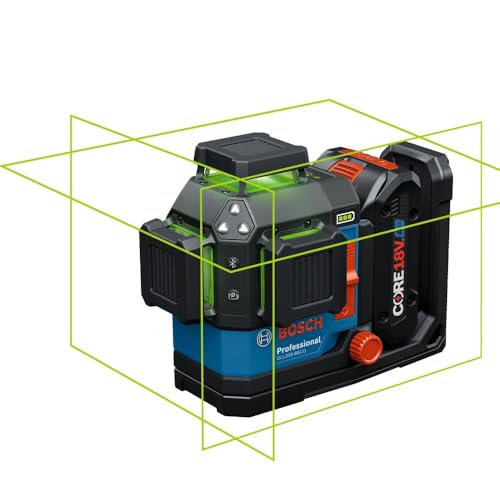
Most laser level calibration issues can be fixed by checking the surface, unlocking the pendulum, replacing batteries, or performing a simple wall test. If the laser still fails to self-level or shows inaccurate lines, professional recalibration or replacement may be needed.
A laser level that refuses to self-level, produces wobbly lines, or flashes a blinking light can ruin your project and waste hours of work. Our editorial team compared specifications, buyer feedback and key decision factors to bring you the most common laser level calibration problems and their fixes. Whether you own a cross-line, rotary, or dot laser level, these troubleshooting steps apply.
Why Your Laser Level Might Not Be Level
Laser levels rely on internal pendulums or electronic compensators to self-level within a certain range (usually 4-5 degrees). If the unit is placed on an uneven surface, bumped during use, or has a locked pendulum, it will not self-level. Common causes include:
- Locked pendulum: Many laser levels have a transport lock that must be disengaged before use. If the pendulum is locked, the laser will not self-level and may blink or show an error.
- Out of level range: If the surface is tilted more than the self-leveling range (e.g., 5 degrees), the laser cannot compensate and will either blink or stay on but be inaccurate.
- Low battery: A weak battery can cause the laser to blink, dim the line, or prevent the self-leveling mechanism from working properly.
- Impact or drop: Dropping the laser level can knock the internal pendulum out of alignment, causing permanent calibration errors.
- Temperature extremes: Extreme heat or cold can affect the electronics and pendulum damping, leading to slow or inaccurate leveling.
- Dirt or debris: Dust or grit on the pendulum pivot or inside the housing can interfere with movement.
How to Fix Common Laser Level Calibration Issues
Follow these steps in order. Stop when the problem is resolved.
- Check the lock switch. Look for a sliding switch or button labeled "Lock" or "Transport." Move it to the unlocked position. On some models, the laser will blink or not turn on when locked.
- Place the laser on a stable, level surface. Use a tripod or a flat, non-vibrating surface. Ensure the surface is within the self-leveling range (check the manual). For most cross-line lasers, this is within 4-5 degrees of level.
- Replace batteries. Use fresh alkaline or lithium batteries. Low battery power is a common cause of blinking lights and inaccurate lines. Some lasers have a battery indicator; if it shows low, replace them.
- Perform a wall test for calibration. Set the laser on a tripod about 30 feet from a wall. Mark the laser line position on the wall. Rotate the laser 180 degrees (keeping the same height) and mark the line again. If the two marks are more than 1/8 inch apart, the laser needs recalibration.
- Reset the laser. Turn the laser off, remove batteries, wait 30 seconds, reinsert batteries, and turn on. This can clear temporary electronic glitches.
- Check for firmware updates (if applicable). Some digital or smart laser levels have firmware that can be updated via a computer or app. Check the manufacturer's website.
- Clean the unit. Use a soft, dry cloth to wipe the exterior. For interior dust, use compressed air carefully. Do not disassemble the laser unless you are a qualified technician.
When to Recalibrate or Replace Your Laser Level
If the above steps do not fix the problem, professional recalibration is likely needed. Many manufacturers offer calibration services for a fee. Check if your laser level is still under warranty. Recalibration is recommended if:
- The wall test shows a deviation greater than 1/8 inch at 30 feet.
- The laser blinks continuously even on a level surface with fresh batteries.
- The laser line is dim or flickers.
- The unit has been dropped or exposed to water.
Replacement may be more cost-effective than recalibration for lower-end models (under $100). For high-end rotary or construction-grade lasers, recalibration is usually worth it. Consider replacing if the laser is older than 5 years, has physical damage, or the cost of recalibration is more than half the price of a new comparable model.
Preventive Tips to Avoid Calibration Issues
- Always store the laser level in its protective case.
- Lock the pendulum before transport.
- Avoid dropping or jarring the unit.
- Use a tripod for stability.
- Check calibration before each major project.
- Keep batteries fresh and remove them during long storage.