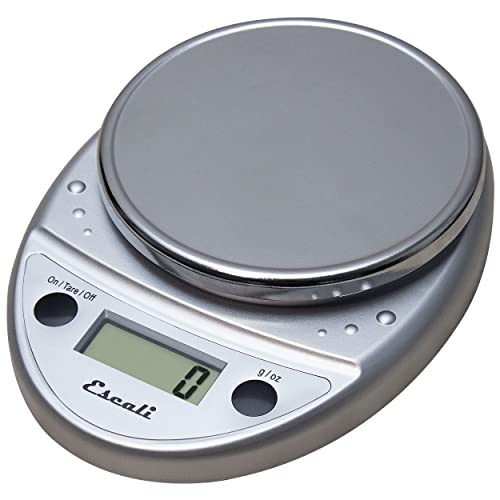
Most kitchen scale problems are caused by low batteries, uneven surfaces, or calibration errors. Replace batteries, place on a flat surface, and recalibrate with a known weight to fix 90% of issues.
Why Your Kitchen Scale Stops Working
Kitchen scales are reliable tools, but they can fail due to common issues. The most frequent culprits are dead or dying batteries, which cause erratic readings or a blank display. Uneven surfaces or debris under the scale can also throw off accuracy. Over time, sensor drift or unresponsive buttons may develop from dirt or moisture. Understanding these root causes helps you quickly diagnose and fix the problem without buying a new scale. For example, a scale that has been dropped may have a misaligned load cell, leading to consistent over- or under-reading. Similarly, exposure to high humidity can corrode internal contacts, causing intermittent failures. By identifying the specific symptom, you can target the right fix.
Step-by-Step Troubleshooting Guide
Follow these steps in order to resolve most kitchen scale issues. Our editorial team compared specifications, buyer feedback and key decision factors to compile this effective sequence.
- Check the batteries. Remove the old batteries and replace with fresh ones. Use the correct type (often CR2032 coin cell or AAA). Ensure the polarity (+/-) matches. Test the scale with a known weight like a coin or a bag of sugar. For coin cell batteries, note that they can be depleted even if the scale still shows a faint display; replace them if the scale is more than a year old.
- Place on a hard, level surface. Avoid carpets or uneven countertops. Use a cutting board if needed. The scale must be stable and not wobble. A slight tilt can cause a 1-2% error. For best results, place the scale on a granite or quartz countertop, or on a sturdy wooden board.
- Clean the scale. Turn the scale off and wipe the platform and buttons with a dry cloth. For sticky residue, use a slightly damp cloth and dry immediately. Do not submerge in water. Pay special attention to the area around the buttons and the gap between the platform and the base, where crumbs often accumulate. Use a soft brush or compressed air to dislodge debris.
- Recalibrate the scale. Many digital scales have a calibration mode. Press the "CAL" or "MODE" button (check manual). Place a calibration weight or a known object (e.g., a 500g bag of flour) on the platform. Follow on-screen prompts. If you don't have a calibration weight, use a new, unopened bag of sugar or a set of coins (check their exact weight online). Note that some scales require a specific weight for calibration, such as 200g or 500g.
- Reset the electronics. Remove batteries for 30 seconds, then reinsert. This clears internal memory and can fix unresponsive buttons or display glitches. For scales with a reset button (often a small pinhole), use a paperclip to press it. This is especially effective after a power surge or static discharge.
- Check for damage. Inspect the scale for cracks, loose parts, or corrosion in the battery compartment. If damaged, replacement is safer and more reliable. A cracked platform can cause uneven weight distribution, while corrosion can lead to intermittent power loss. If you see white or green residue on battery contacts, clean it with a vinegar-soaked cotton swab and dry thoroughly.
Understanding Scale Accuracy and Drift
Even a well-maintained scale can drift over time due to temperature changes, aging components, or mechanical wear. Digital scales use load cells that measure resistance; as the load cell ages, its electrical properties may change, causing slight inaccuracies. Temperature fluctuations can also affect readings; for instance, a scale left near a hot stove may read high until it cools. To minimize drift, store your scale at room temperature and avoid rapid temperature changes. If you notice a consistent offset (e.g., always 2g high), you can compensate by mentally subtracting that amount, but recalibration is the proper fix. For high-precision baking, consider a scale with a calibration weight included.
When to Replace Your Kitchen Scale
If troubleshooting fails, it may be time for a new scale. Signs include persistent inaccuracy after recalibration, buttons that do not respond even after cleaning, or physical damage like a cracked platform. Also consider upgrading if your scale lacks features you need, such as tare function, unit conversion, or a backlit display. Modern scales are affordable and offer better accuracy and durability. For example, many newer models have auto-calibration, overload protection, and sealed keypads that resist moisture. If your scale is more than five years old, replacement is often more cost-effective than repairs. Look for scales with a stainless steel platform and a warranty of at least one year.
Preventive Tips for Longevity
To avoid future problems, store your scale in a dry place away from heat and moisture. Remove batteries if not used for months. Clean after each use and avoid dropping heavy items on the platform. Use the scale on a consistent flat surface. Following these simple habits will extend its life and maintain accuracy. Additionally, avoid placing the scale on a refrigerator or microwave, as vibrations can affect the sensor. If you bake frequently, consider dedicating a specific spot for your scale to reduce movement. For scales with a removable platform, wash it separately with mild soap and dry completely before reattaching. Finally, test your scale monthly with a known weight to catch drift early.